
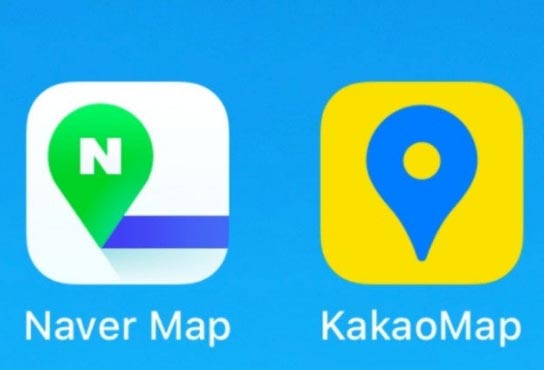
How to Use Kakao Maps and Naver Maps
A Local Korean Woman’s Guide to Navigating Korea Like a Pro
If you’re visiting South Korea, one of the first surprises you’ll encounter is that Google Maps — your usual travel companion — isn’t always the best option here. That’s because most local business data, bus/train routing, and even walking directions are more accurate and up-to-date in Kakao Maps and Naver Maps, the two dominant navigation apps used by Koreans every day.
At first glance, they can look intimidating — menus in Korean, unfamiliar icons, extra features galore. But once you know how to use them, they’ll feel as natural as brushing your teeth in the morning. In this guide, I’ll walk you through both apps from a local traveler’s perspective: why they’re useful, how to get started, and how to use them step by step.
Why Locals Prefer Kakao Maps and Naver Maps
Before we jump into how to use them, let’s quickly explain why these apps are so valuable in Korea:
- Accurate public transit routes (subway + bus + train)
- Real-time traffic and transit updates
- Precise walking directions
- Extensive local place details (opening hours, reviews, categories)
- Offline map options (in some cases)
- Walking & driving navigation with lane guidance
Google Maps is fine for basic location markers, but between Korean character addresses and detailed public transportation, Kakao Maps and Naver Maps are unbeatable.
Getting Started: Downloading the Apps
Both apps are free and work on iOS and Android.
Kakao Maps: Search “KakaoMap”
Naver Maps: Search “Naver Map”
You’ll be prompted for basic permissions (location). Don’t worry if you don’t understand all the Korean prompts — accept location access so the apps can guide you properly.
Tip: If you’re worried about data usage, download a local SIM card or portable Wi-Fi upon arrival at Incheon Airport — both work seamlessly with these apps.
Basic Navigation: Finding Places
1. Searching for a Place
Once the app opens:
- Tap the search bar at the top
- Enter the place name in English or Korean
- Press search
Both apps will show a list of matches. You can tap one to see details like address, hours, phone number, and a thumbnail map.
Pro tip: Entering the Korean name often gives the most accurate result. You can copy-paste from your hotel confirmation or from your travel notes.
Public Transit Directions (The Best Feature)
This is where Kakao and Naver Maps shine compared to Google Maps.
Kakao Maps Transit
- Tap the Directions icon
- Choose your starting point (current location or any address)
- Choose your destination
- Tap the train icon or bus icon
You’ll get:
- Multiple route options
- Estimated time
- Transfers
- Cost of each route
The app even highlights which subway line to take, what exit to use, and how many stops remain. For example, if you’re going from Hongdae to Gyeongbokgung Palace, it shows exactly how to walk to the station, which line to board, and where to transfer.
Naver Maps Transit
Naver works similarly but sometimes gives even more alternate routes, especially for bus combinations. It also shows real-time bus arrival times — extremely handy when you’re waiting at a bus stop.
If you want the absolute most precise public transit data, locals often check both apps and choose the option that fits their pace.
Walking Directions: Don’t Get Lost
When you’re walking, both apps show little arrows on the mini-map, guiding you exactly where to turn. This is especially helpful in Korea’s winding alleyways or above-ground station exits.
Instead of “Head north on Main St”, you’ll see:
- A highlighted path on the map
- Turn arrows
- Distance to the next turn
This turns confusing intersections into child’s play.
Driving Directions and Traffic Info
If you’re renting a car, both apps offer driving directions:
- Estimated time
- Traffic congestion
- Lane guidance
Naver Maps is particularly good with real-time traffic situations, often showing you the fastest route even if it’s a bit longer in distance.
Local Place Details: More Than Just Pins
When you tap a restaurant, café, or shop, you’ll see:
- Photos
- Reviews
- Opening hours
- Popular menu items
- Distance from you
Some places even include user-uploaded photos and tips — which is what locals rely on when choosing a hidden gem rather than a tourist trap.
This is especially useful for:
- Cafés with specialty lattes
- Small eateries without English signs
- Local markets and traditional workshops
Using English Mode (Where Available)
Both apps have English interfaces, although some options stay in Korean. Navigation and core functionality are easy enough to follow once you’re used to the icons and layout.
If you see Korean text you don’t understand:
- Tap an English toggle (sometimes found in Settings)
- Use copy-and-paste into a translation app like Papago
Locals often do this when a place name or direction isn’t fully translated.
Offline Map Tips
If you’re planning to travel in areas with patchy data (like national parks or rural towns), you can:
- Screenshot the directions ahead of time
- Use apps’ offline bookmarking features
That way, you still see all arrows and routes even without full internet.
Shortcuts and Local Hacks
Locals have a few little tricks that make these apps even better:
Bookmark Favorite Places
Before your trip, bookmark:
- Your hotel
- Subway stations you’ll use
- Popular restaurants and attractions
Then accessing them is one tap away.
Pin Your Drop-Off Point
If you’re returning to a hotel after a day of exploring, just pin it — your route back shows instantly.
Check Estimated Time vs Real Time
Both apps show scheduled vs current travel times — helpful when weather or traffic slows things down.
Which App to Use When?
- Kakao Maps: Great for daily transit, walking, and local searches
- Naver Maps: Slightly better for traffic, alternate routes, and detailed place listings
Most locals keep both installed and cross-check for precision.
Local Insight: Why These Apps Matter
In Korea, precise navigation is part of daily life. Whether you’re:
- Commuting to work
- Meeting friends at an indie café
- Catching the right bus to a temple
- Walking to a hanok village
Kakao and Naver Maps don’t just tell you where to go. They help you understand how locals move, how places connect, and how to make the most of every minute in Korea.
Once you get the hang of it, you’ll wonder how you ever traveled here without them.